
TypeScriptRilis v3.4.6
erd-builder-pro
ERD Builder Pro is a database design and documentation tool for developers. Build ERDs, flowcharts, notes, and drawings — all in one workspace
ERD Builder Pro is a database design and documentation tool for developers. Build ERDs, flowcharts, notes, and drawings — all in one workspace
ERD Builder Pro is a database design and documentation tool for developers. Build ERDs, flowcharts, notes, and drawings — all in one workspace

Design database schemas and document how your systems work.



Documentation · Desktop releases · Docker image
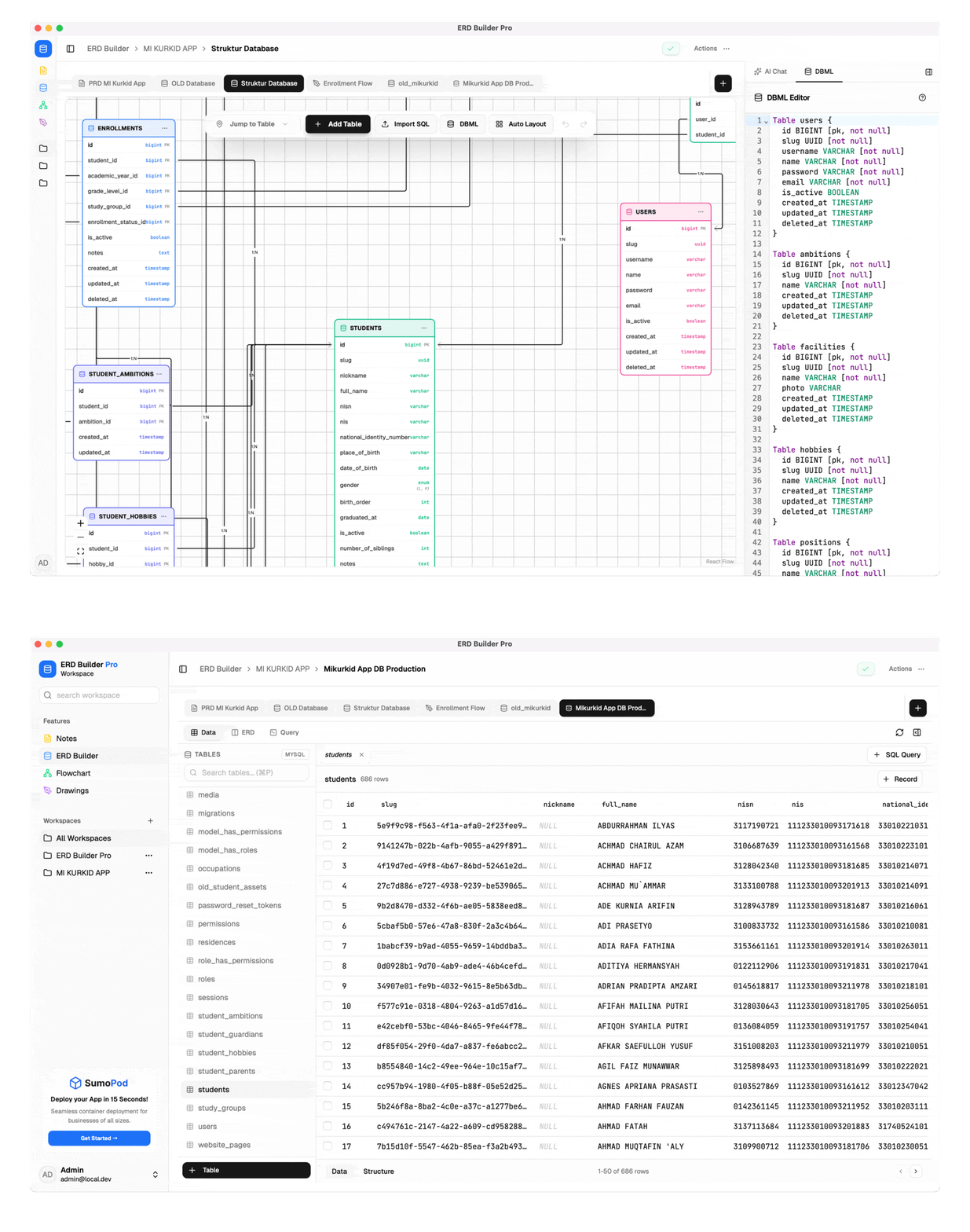
ERD Builder Pro combines an ERD canvas and DBML editor with flowcharts, notes, and drawings. Desktop and CLI builds also include DB Client for working with existing PostgreSQL, MySQL, and SQLite databases.
Requires Node.js 18 or later.
npm install -g erdbpro
erdbpro start --open
The CLI opens the web interface at http://localhost:3101, binds its server to 127.0.0.1, and stores its SQLite database at ~/.erdbpro/data.db. See the CLI guide for other commands, MCP, and schema checks.
Download a macOS, Windows, or Linux build from GitHub Releases. macOS and Windows builds are not registered with Apple or Microsoft, so Gatekeeper or SmartScreen may show a warning on first launch. Check the release notes for installation instructions.
The published image listens on port 3000 and uses SQLite when DATABASE_URL is unset. The database is stored under /app/data; mount that path to a persistent volume. Web deployments also require a stable ERD_ENCRYPTION_KEY.
Generate a key once with openssl rand -hex 32. Save the result in an untracked .env file as ERD_ENCRYPTION_KEY=<generated-value>. Leave DATABASE_URL unset for the default SQLite setup. Keep the same key when restarting or replacing the container; changing it can make previously encrypted values unreadable.
docker run -d \
  --name erd-builder-pro \
  --restart unless-stopped \
  --publish 3000:3000 \
  --volume erd-data:/app/data \
  --env-file .env \
  bekenweb/erd-builder-pro:latest
Keep the erd-data volume and .env backed up. Removing the volume deletes the SQLite database. PostgreSQL and Supabase deployments need additional environment settings; see .env.example.
Run erdbpro mcp to use CLI data or erdbpro mcp --desktop to use Desktop data. The Desktop command runs the bundled MCP server without opening another GUI window. Local MCP includes selected write operations for Notes and history, so review those requests before approving them.
A configured Web deployment can expose an OAuth-protected Streamable HTTP endpoint. The Web MCP surface is read-only and limited to workspace documents and history. It does not expose DB Client data, credentials, SQL execution, filesystem access, or write operations. See the MCP setup guide.
For local PostgreSQL development, set DATABASE_URL in .env to a development database, then run:
npm install
npm run dev:pg:local
dev:pg:local pushes the Prisma schema before starting the server. Do not point it at production data. Run the checks with:
npm test
npm run lint
This repository uses the PolyForm Noncommercial License 1.0.0. It does not grant commercial-use rights, including internal use by for-profit organizations. Contact the licensor for separate permission before commercial use.



Support development through Trakteer.