Manef Shell OS
A self-hosted control plane for AI agents.
Let agents work across your projects, tools, workflows and infrastructure while keeping context, permissions and execution evidence under your control.
Demo · First 10 minutes · Install · Launch readiness · Docs


See it work
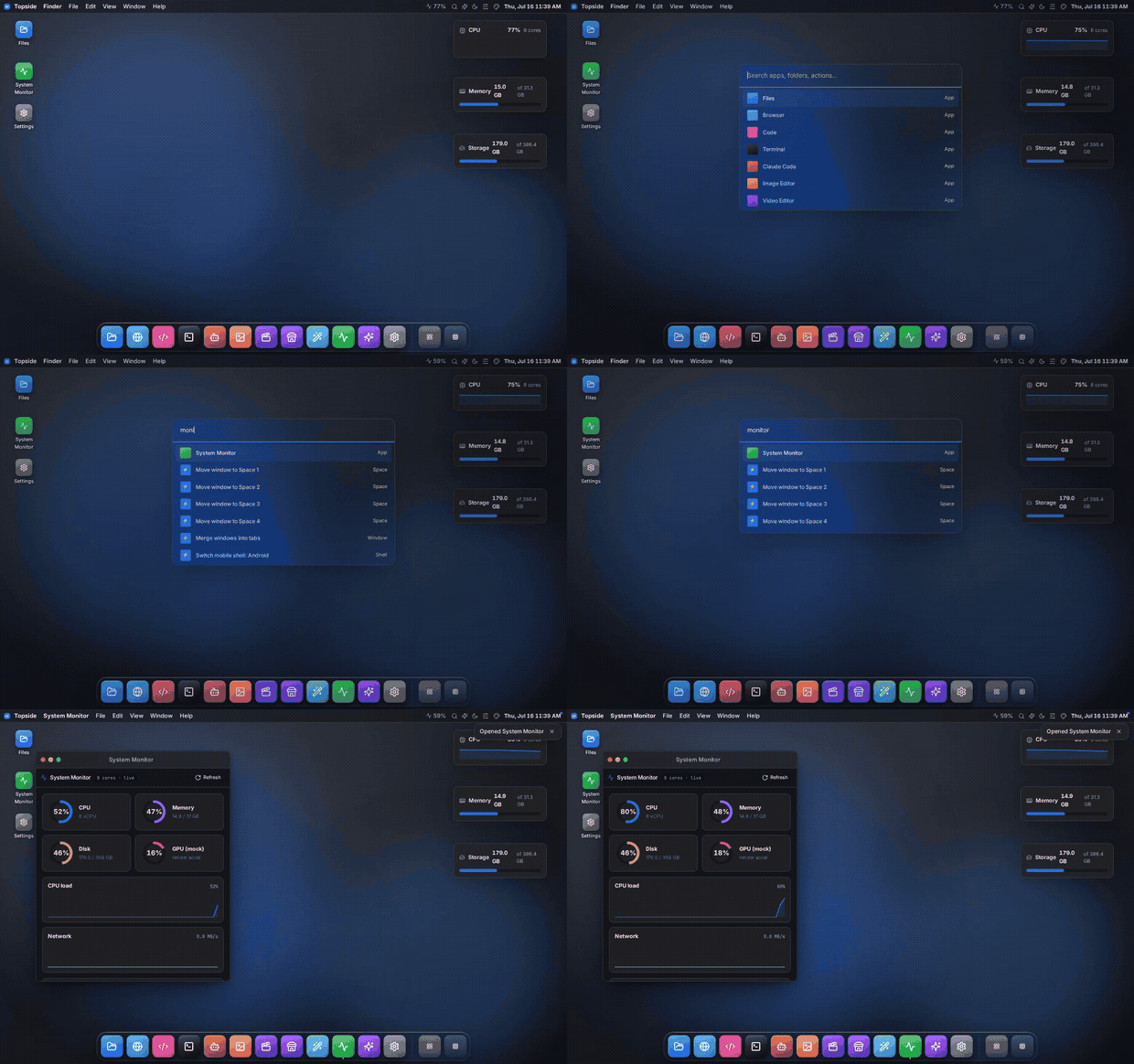
A recorded browser walkthrough, not a mockup. The GIF plays here; click to open it at full size.
| Your server, visually |
Your tools, in the terminal |
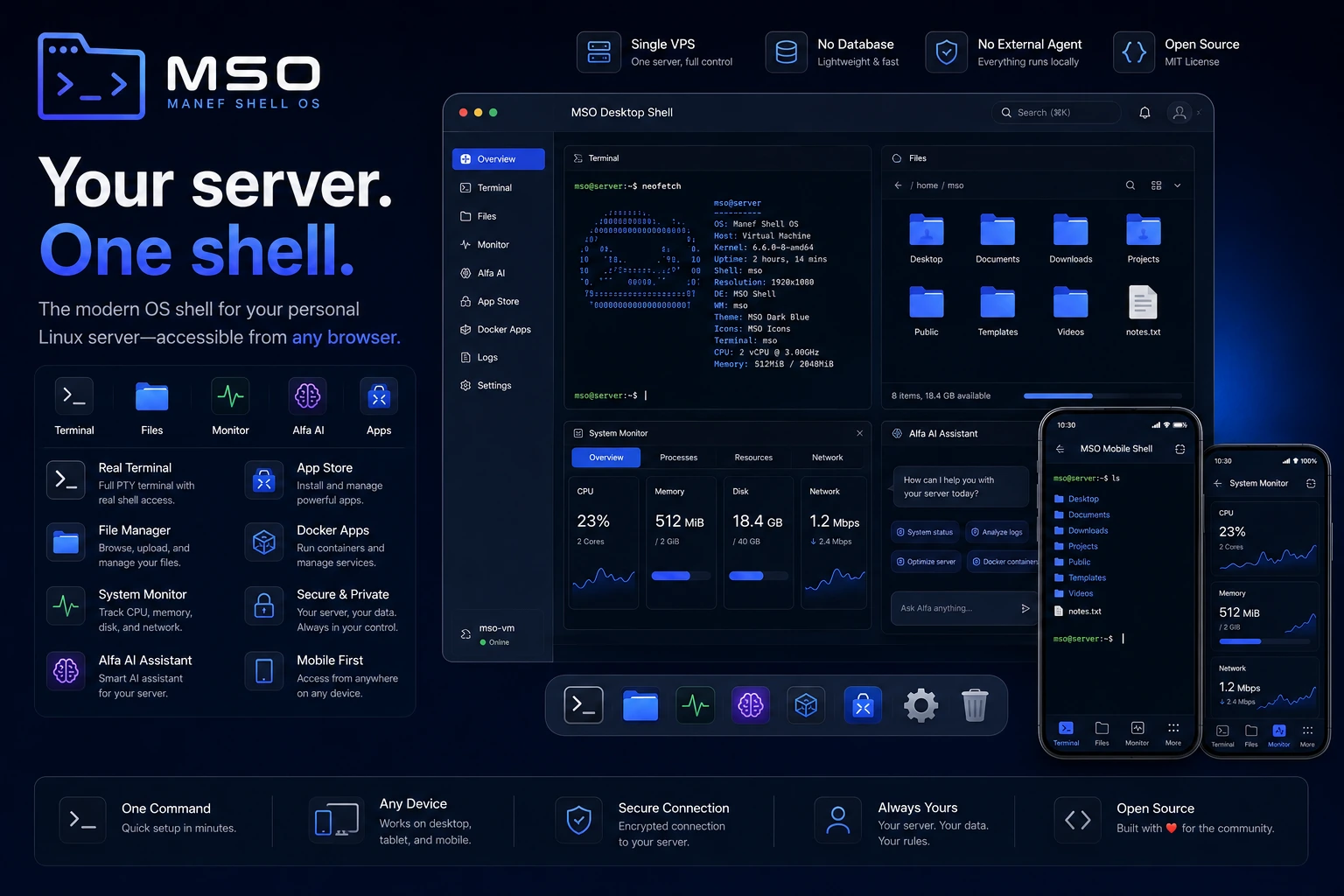 |
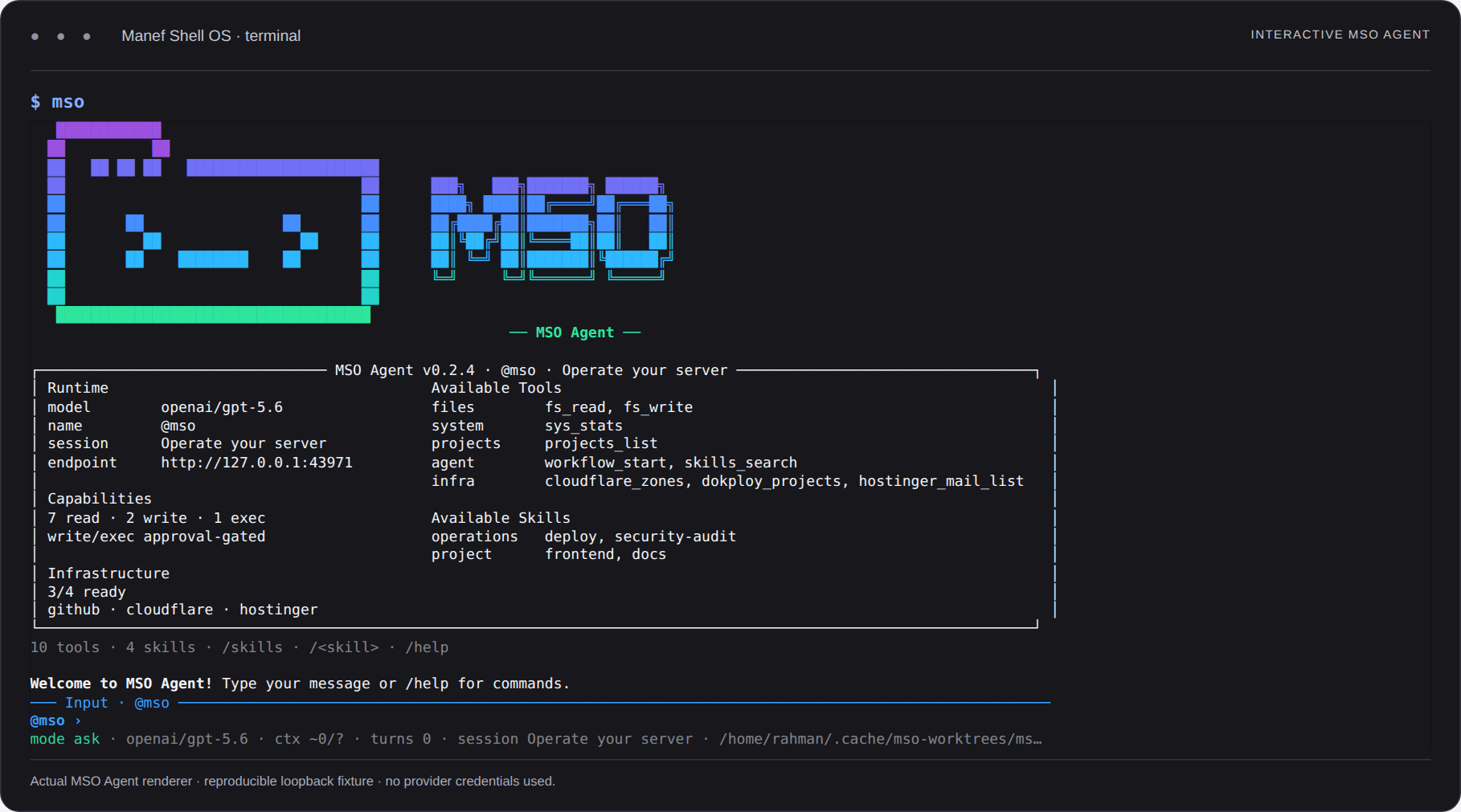 |
More than an AI chat window
| Ask it to… |
What MSO brings |
| Understand a project |
Project context, trusted skills and task-specific tool discovery. |
| Do the work |
Real PTY, bounded file tools, service controls and explicit approvals. |
| Pick up where you left off |
Durable sessions, local memory, workflow evidence, agent handoffs and separate repo progress vaults. |
| Build server-native workflows |
Server-native n8n-core workflow parity: schedule/webhook triggers, branching/loops/subflows, retries/error paths, versions/history, private variables, integrations, per-node logs, and automatic private learning. |
One runtime, three ways in: use desktop/mobile windows, stay in your terminal, or connect an MCP client.
Code, image/video tools, a browser and native credential setup live beside your operational tools.
flowchart LR
    You["You"] --> Web["Browser · desktop / mobile"]
    You --> CLI["MSO CLI"]
    You --> MCP["MCP client"]
    Web & CLI & MCP --> Core["MSO · auth / scopes / approvals"]
    Core --> Work["Projects · files · PTY · services"]
    Core --> Agents["Agents · skills · durable sessions"]
    Agents --> Evidence["Verify · record · resume"]
    Agents -. BYOK .-> Model["Your model provider"]
Private session screenshots · How the agent runtime works · Architecture · Native Integrations
Install or update MSO from this repo
Linux, macOS, Windows/WSL2, Android/Termux · iOS/iPadOS client. MSO keeps one Linux host-runtime contract and adapts the machine around it.
| Machine |
Supported path |
| Linux |
Native host — canonical POSIX installer |
| macOS |
Lima Linux guest — canonical POSIX installer auto-routes |
| Windows |
WSL2 Linux distro — PowerShell bootstrap |
| Android |
Termux + Ubuntu PRoot — canonical POSIX installer auto-routes |
| iOS / iPadOS |
PWA/client to a protected MSO host |
curl -fsSL https://raw.githubusercontent.com/rahmanef63/mso/main/scripts/install.sh | bash
mso doctor
mso
mso web
Windows PowerShell: iwr -useb https://raw.githubusercontent.com/rahmanef63/mso/main/scripts/install-windows.ps1 | iex.
The raw application binds to 127.0.0.1 by default. Compatibility hosts manage their Linux runtime, not native parent-OS services. Platform support · Full installation guide · Android / Termux details · CLI reference
Update, reset or uninstall — preview before changing anythingmso update updates from main. mso reset and mso reset --scope all preview configuration/factory resets;
mso uninstall --purge --remove-code previews removal of owned data and a clean standalone clone.
Applying reset/uninstall requires an offline runtime and an exact confirmation token from an independent terminal.
Browser reset is separate in Settings → Account → About. Backups, scope and safeguards.
Use MSO from an AI app (MCP)
Connect ChatGPT, Codex, Claude Code, Cursor, or another compatible MCP client to your
MSO installation. You do not need SI-Coder: it is an optional MSO plugin, not the
MCP server or an installation prerequisite.
- Open Settings → MCP → Access MSO → Connect an app and choose your client.
- Copy the server URL shown there (
https://mso.example.com/mcp is a placeholder),
select OAuth, and authorize on an approved MSO owner device.
- Grant the minimum useful scope, refresh/scan the client's tools, and enable MSO
in the conversation. Start with:
@MSO check server status without changing anything.
| Direction |
What it does |
| Access MSO |
Your AI app → MSO → permitted server/project operations. |
| MSO Access |
MSO → external services/project MCPs with separately configured credentials. |
Fresh installs enable MCP with an exec ceiling; existing installs preserve their settings.
read observes, write adds bounded changes, and exec permits host/delegated execution.
A ceiling is not a grant: actual token scope and server guards still apply. Lower the ceiling
when shell access is unnecessary. Never paste passwords or tokens into a prompt.
How to use MCP — Bahasa Indonesia · ChatGPT setup/reference · Protocol and security · Generated tool catalog
Build with it
bun install --frozen-lockfile
bun run verify
bun run test:features
bun run audit:strict
Use Bun >=1.2.15 with native audit support. Contributing · Development · Changelog
Powerful by design. Not a sandbox.
Public Alpha / Developer Preview. Owner/exec authority can run commands as the service user.
Provider calls may send selected context off-host. Review approvals and keep credentials private.
Successful analysis jobs are not proof of zero open alerts; the security badge above checks the actual inventory.
Security policy · Verification and known limits
Product comparison, evidence and limitations · reviewed 2026-09-17.
PolyForm Noncommercial 1.0.0 · Commercial exception available · Third-party notices · Detailed workspace guide

